The best app to learn the Arabic alphabet shows all four forms of each letter, plays clear audio for every sound, and makes you trace letters with your finger. Joode suits iPhone and iPad beginners who want to draw and hear each letter. Arabic Alphabet for Beginners suits Android users who like one letter per lesson. Drops suits fast daily recognition, Duolingo suits a free start, and AlifBee suits anyone who plans to continue into Modern Standard Arabic. Write It! Arabic suits handwriting practice. If you want someone to correct your pronunciation, a live teacher beats every app.
The problem is that Arabic has 28 letters, most letters change shape depending on where they sit in a word, and several sounds have no English match. Search results are mostly app store listings and forum threads where someone says "Duolingo is bad" and nobody names a replacement. Many popular apps teach vocabulary and skip the script. Others lean on English transliteration, which defeats the purpose of learning letters.
Below you will find seven picks, each judged on letter recognition, pronunciation and writing practice, with notes on cost and limits. Quranytime Academy teaches Arabic letters and vowel signs to Quran readers in live one-to-one lessons. It is not an app, but it is the one option here that fixes your pronunciation as you speak, so it comes first. Prices change often, so confirm the current figure on each store listing before you pay.
How the seven picks compare
Judge an alphabet app on four things: how it shows letter forms, how it teaches sounds, whether it makes you write, and whether it covers short vowels. The table below sets the seven picks side by side on what each does best.
What to check before you download
A good learn Arabic alphabet app does more than flash letters. Test the free version for these points before you commit to a subscription:
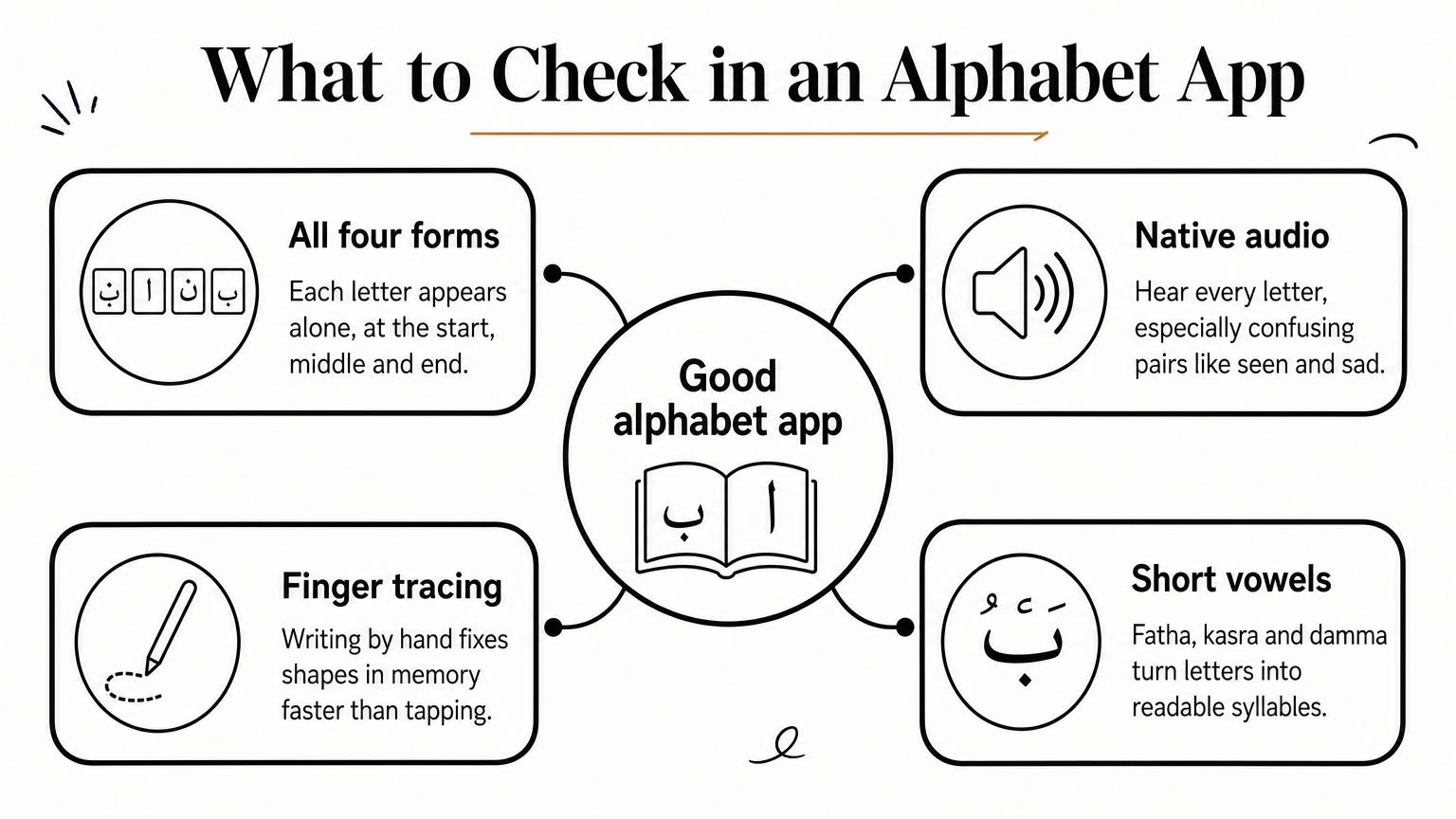
- All four forms: each letter should appear alone, at the start, in the middle and at the end of a word.
- Native audio: you should hear every letter, especially the pairs that confuse English speakers, such as seen and sad, or ha and kha.
- Finger tracing: writing with your hand fixes shapes in memory much faster than tapping answers.
- Short vowels: the marks above and below letters (fatha, kasra, damma) turn letters into readable syllables.
A strong general Arabic course is not automatically a strong alphabet app. Mango Languages, for example, is praised for dialogue lessons but does not teach the script, so it is a poor first download.
The seven picks side by side
The best way to learn the Arabic alphabet is to combine two things: one app for daily recognition and tracing, and, if you can, a person who hears you read aloud. Use the table to choose the app half.
| Pick | Platform | Strongest at | Cost model |
|---|---|---|---|
| Quranytime Academy | Live online lessons | Pronunciation correction, Quran reading | Free assessment class, then paid plans |
| Joode | iPhone and iPad | Drawing letters, hearing sounds | Check the App Store listing |
| Arabic Alphabet for Beginners | Android | One letter per lesson | Check the Google Play listing |
| Drops | iOS and Android | Fast recognition with images and audio | Free 5 minutes a day, premium about $10/month |
| Duolingo | iOS, Android, web | Free, habit-building start | Free with ads, paid Super tier |
| AlifBee | Mobile app | A path from letters to MSA | Free early lessons, premium about $9 to $15/month |
| Write It! Arabic | Android | Tracing and letter forms | Free basic versions |
Pick one app for daily letter practice, then add a human ear for pronunciation.
1. Quranytime Academy: live one-to-one lessons
Quranytime Academy is the only pick here that is not an app. It is a live, one-to-one online class with a teacher, and it is the fastest way to catch pronunciation mistakes that an app cannot hear.

What you get
Your teacher listens while you say each letter and corrects your pronunciation in real time. That matters because letters like ayn, ghayn and qaf are hard to judge from audio alone. The academy’s Quran reading and Tajweed lessons start from the Arabic letters and vowel signs, and its Arabic language course covers reading, writing, vocabulary and guided practice. Teachers are Al-Azhar University graduates with Ijazah.
- Letter recognition: guided by your teacher, in your order of difficulty.
- Pronunciation: corrected live, with personal feedback.
- Writing: guided practice inside the Arabic language course.
Who it suits, cost and limits
This option suits parents of children and adult beginners who want to read the Quran correctly from day one. No previous knowledge is required, and the site also offers an Arabic Reading Guide as an interactive tool.
You start with a free assessment class. The team arranges a live session to discuss your level and recommend a path, and premium plans are available afterward. The limits are plain: lessons run on a schedule, so it is less casual than opening an app on the bus, and it costs money once the trial ends.
If your goal is to read the Quran, a teacher’s ear is worth more than any badge or streak.
2. Joode: draw and hear all 28 letters
Joode is an iOS app that teaches the 28 letters with their sounds and graphics, and lets you draw each letter on your screen. It is the most direct answer for an iPhone or iPad user who wants letters, pronunciation and writing in one place.
What you get
The App Store listing describes an interactive way to learn all 28 letters with pronunciation and graphics. You trace on the screen, then practice saying the letter. That covers the three skills you need at the start, and it keeps you busy with the shapes instead of with vocabulary.
- Letter recognition: each of the 28 letters, with graphics.
- Pronunciation: audio plus pronunciation practice.
- Writing: on-screen drawing.
Who it suits, cost and limits
Joode suits visual learners and families sharing a tablet. Because it teaches only the alphabet, you will finish it and need another resource for words and grammar. It is listed on the Apple App Store, so Android users should look at the next pick.
Joode is generally listed as a free download, but confirm the current price and any in-app purchases on the listing. Also test whether the audio sounds clear to you, since sound quality varies by device.
Joode is the cleanest single-purpose pick if you own an iPhone or iPad.
3. Arabic Alphabet for Beginners on Android
Arabic Alphabet for Beginners is an Android app that splits the alphabet into 27 lessons, each focused on one letter, with the first lesson as the exception. If you want a fixed path instead of a game, this is a good Android choice.
What you get
The Google Play listing describes an interactive course divided into 27 lessons. One letter per lesson keeps each session short and stops you from mixing up similar shapes. You move forward when you are ready, not when a timer says so.
- Letter recognition: one letter at a time, in order.
- Pronunciation: audio and sound practice within each lesson.
- Writing: check the listing and screenshots for tracing activities before you install.
Who it suits, cost and limits
It suits Android beginners who like clear structure, and parents who want a predictable lesson order for a child. The slow, single-letter pace is a strength at the start and can feel sluggish if you already know some letters.
I cannot give a reliable price, so read the listing for ads and in-app purchases. Read recent reviews too, as small apps change after updates. It also has no vocabulary or grammar track, so plan your next step.
A one-letter-per-lesson path removes the guesswork for Android beginners.
4. Drops: fast recognition with images and audio
Drops teaches the alphabet through images, native audio and spaced repetition in five-minute sessions. It is best when you want to recognize letters quickly and daily, and weaker when you need handwriting or vowels explained.
What you get
Reviewers single out Drops as an efficient way to learn the alphabet quickly. Each item pairs a visual with a recorded sound, and spaced repetition brings back the letters you miss. The interface is smooth and tracks daily progress.
- Letter recognition: strong, with images and repetition.
- Pronunciation: recorded audio.
- Writing: not its focus.
Who it suits, cost and limits
Drops suits busy adults who can give five minutes a day. A known weakness is its reliance on transliteration, so some quiz answers use English letters, and it teaches Modern Standard Arabic only, with no grammar lessons.
The free version limits you to about five minutes a day, and premium costs roughly $10 a month. Here is a realistic cost example: pay for one month, finish the letters, then cancel. You spend about $10 and keep the skill. Check the app for the current price.
Drops is a sprint tool: finish the alphabet in it, then move on.
5. Duolingo: the free option for beginners
Yes, there is a Duolingo for Arabic. Duolingo offers a Modern Standard Arabic course that starts with the alphabet, and it is a reasonable free way to begin if you accept its limits.
What you get
Duolingo’s course gives you bite-sized lessons and streaks that build a habit, and a placement test lets you skip ahead if you already know some letters. It introduces letters, basic words and simple sentences in the same stream.
- Letter recognition: good for basic matching and listening.
- Pronunciation: audio is present, but speech recognition is unreliable.
- Writing: do not count on it for handwriting.
Who it suits, cost and limits
It suits cost-conscious beginners and anyone who needs a daily nudge. The free version has frequent ads, and lessons can feel repetitive. Duolingo Super removes ads and limits for a fee.
The "Duolingo is bad" complaint on forums is half fair. It works for recognition, but it is not enough alone for sound contrasts or writing. Use it for daily practice and add a tracing tool or a teacher.
Duolingo is a good free starter, but it should not be your only tool.
6. AlifBee: from letters to Modern Standard Arabic
AlifBee is built for Modern Standard Arabic from the alphabet up to advanced levels. Choose it if you already know you want to go beyond the letters in a single app.
What you get
The app uses gamified exercises across reading, writing, listening and speaking, with placement tests so you do not repeat what you know. It starts with the script, which makes it a legitimate first download rather than a later one.
- Letter recognition: taught first, then built on.
- Pronunciation: listening and speaking exercises.
- Writing: included in the course skills.
Who it suits, cost and limits
AlifBee suits committed beginners who want one app for months. Its limits are that it is strictly Modern Standard Arabic, with no spoken dialect training, and free content is limited.
Early lessons are free. Premium costs roughly $9 to $15 a month, and annual plans run about $112 a year. If you only need the letters, a monthly plan for a short time costs far less than a year. Confirm current prices in the app.
AlifBee earns its price only if you keep going past the alphabet.
7. Write It! Arabic: tracing practice for letter forms
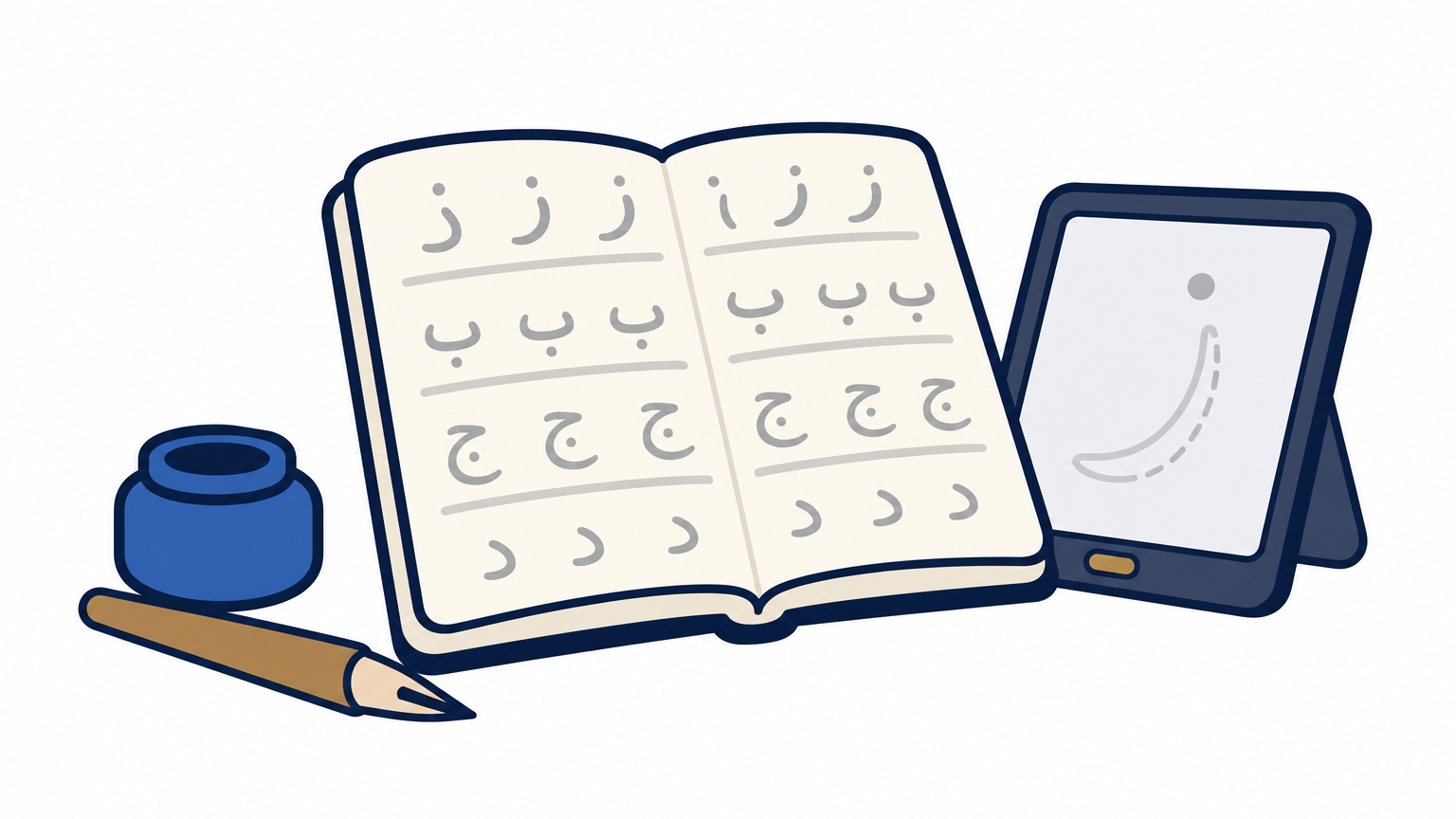
Write It! Arabic focuses on the script itself: tracing letters, learning their sounds and recognizing their initial, middle and final forms. It is the best add-on when your reading is improving but your handwriting is not.
What you get
The app guides you through tracing each letter and shows how its shape changes by position. That muscle memory is what keeps similar letters from blurring together.
- Letter recognition: forms by position.
- Pronunciation: letter sounds.
- Writing: the main feature.
Who it suits, cost and limits
It suits absolute beginners who need the script first and learners who like to write. It teaches nothing beyond the letters, so there is no vocabulary or grammar.
Basic versions are free, while some similar writing apps charge a small fee. Several apps use similar names, so check the developer, recent reviews and the screenshots before installing. Use it alongside a recognition app such as Drops or Duolingo.
Tracing builds the handwriting that recognition apps leave out.
Which one to download first
For most beginners, the plan is simple: pick one app for daily recognition and tracing, and add a teacher when pronunciation matters. Joode, Arabic Alphabet for Beginners and Write It! Arabic cover the script well. Drops and Duolingo are fast and low cost. AlifBee is the one to choose if you want a longer path.
If you read the Quran, hearing the letters corrected beats any streak count. You can book a free assessment class with Quranytime Academy and let a teacher check your level before you decide how to continue.