
Choosing how to read and study the Quran is personal. For a blind or low-vision Muslim, the best arrangement may combine Braille or tactile Arabic text, selectable digital text, audio, magnification, and a teacher who understands the learner’s goals. There is no single “accessible” setup that works for everyone.
This guide helps learners, families, and teachers build a respectful path for reading, understanding, listening, reviewing, and—when desired—developing recitation with qualified feedback.
Start with the learner’s goal and preferred access
Before buying a resource or changing a device, ask what the learner wants to do today. Is the priority to follow Arabic Quran text, understand a translation, listen and repeat, review memorised passages, prepare for a lesson, or practise pronunciation and Tajweed? The answer may change the right format.
Ask the learner how they prefer to access information. Some people read Braille fluently; others prefer audio, a screen reader, enlarged print, magnification, or a combination. A person with limited sight may want to switch between visual and audio access depending on lighting, fatigue, or the task. A family member or teacher can offer options, but the learner should guide the choice wherever possible.
Notice what is comfortable, what is tiring, and what makes it easy to find a surah or verse again. Accessible Quran learning for blind people should support independence, not require the learner to depend on someone for every small navigation step.
Understand the main access routes
Braille and tactile Quran resources
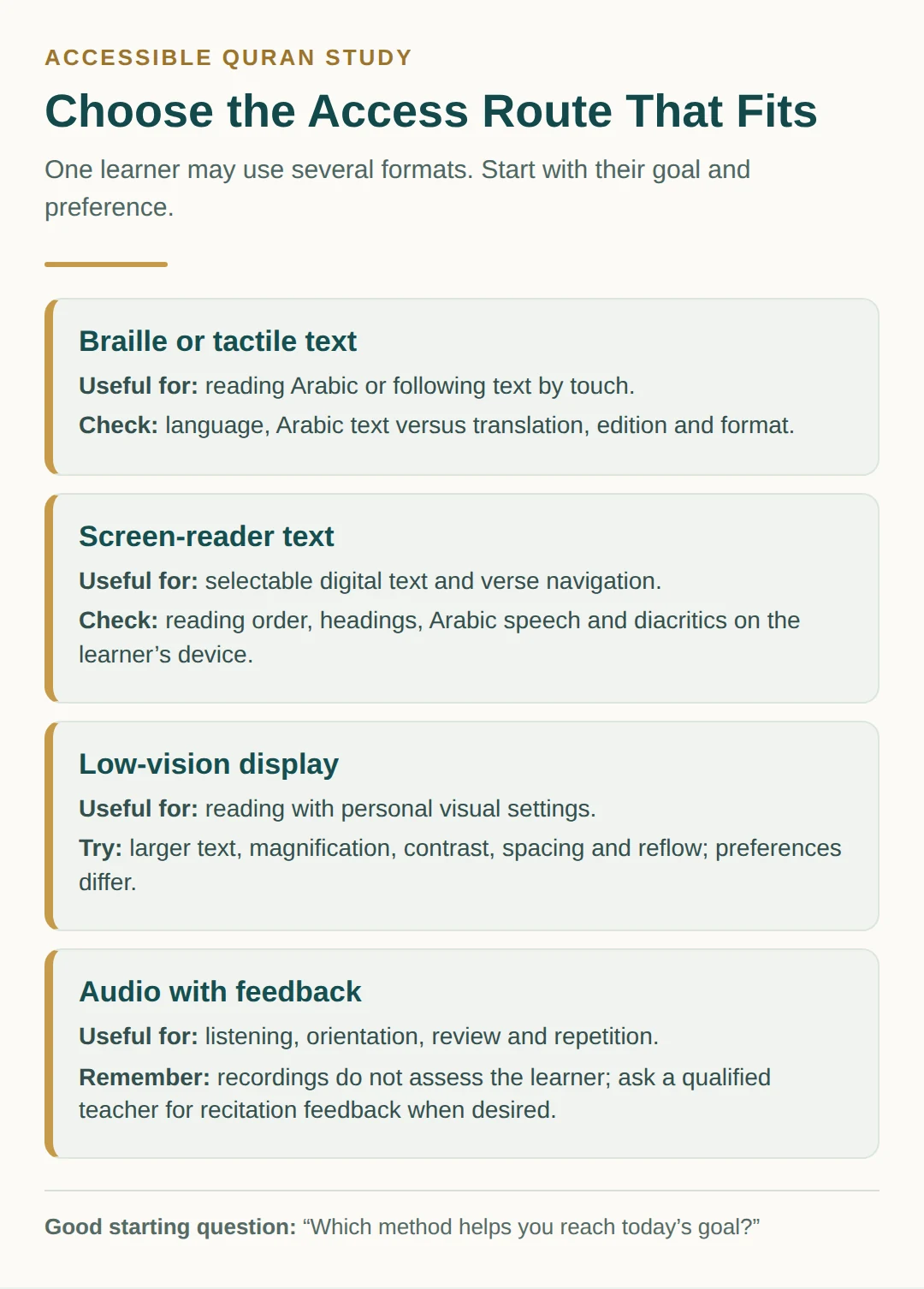
A Braille or tactile Quran resource can make the Arabic text available through touch. It may suit a learner who wants to read Arabic letters and words directly, study text sequence, or work without a screen. Tactile diagrams and raised markings may also support orientation, depending on the resource.
Check an important distinction before ordering: a Braille translation is not the Arabic Quran text. A translation communicates the meaning of the Quran in another language; it does not replace the Arabic text. A resource may contain Arabic, a translation, transliteration, commentary, or more than one layer, so read its description carefully.
Verify the language, edition, volume arrangement, Braille code or notation, page format, and whether the learner can comfortably handle the materials. Availability can vary by country, language, institution, and shipping route. Ask whether the resource is complete, whether the Arabic text follows the edition the learner studies with their teacher, and whether replacement or digital companion materials exist. Do not assume that a resource described as “Braille Quran” includes a translation—or that a translation includes Arabic Braille.
Digital text and screen readers
For screen-reader Quran study, look for real selectable text rather than a picture of a page. Useful features include semantic headings, clear surah and verse labels, chapter and verse navigation, a reliable reading order, and a way to move back to the same place. Arabic direction should be handled clearly, and diacritics should not make the output confusing or unusably cluttered.
W3C Web Accessibility Initiative guidance on accessibility principles explains that semantic structure and text alternatives can help assistive technologies; text alternatives may be read aloud or displayed on Braille devices. This is web accessibility guidance, not Quran or recitation authority, and not an endorsement of any Quran app or provider. Test the actual content, not just the feature list.
Use the learner’s own phone, tablet, computer, screen reader, speech language, and settings for the test. Can they identify the surah, move by heading or verse, understand markers and Arabic letters, repeat a passage, and return without losing their place? If a page looks accessible but the spoken output is confusing, it may not be the right resource.
If reading on a phone is part of the plan, the practical ideas in this guide to keeping your place on a phone can help families and teachers discuss navigation habits without assuming one device or app will suit everyone.
Low-vision reading adjustments
Some low-vision learners may benefit from larger type, stronger contrast, custom colors, screen magnification, a larger display, or a less crowded layout. Reflowable text may enlarge without forcing constant horizontal movement. Spacing, brightness, and reduced visual decoration can also affect comfort.
These are options to try, not universal needs. Bigger text is not always easier if it removes too much context from view. High contrast is not identical for every reader, and some color combinations can create glare or strain. Let the learner compare settings during a short passage. Keep the setting that makes reading more comfortable and accurate, and change it when the task or environment changes.
Audio for listening, orientation, and review
Audio can be an excellent part of Quran learning. A learner may listen to locate a passage, hear a recitation model, repeat a short section, review memorisation, or maintain a study routine while away from a screen. Audio can also work alongside Braille, tactile materials, or selectable text.
Audio alone does not teach or certify articulation or Tajweed. A recording cannot notice every individual habit, answer every question, or confirm that a learner’s pronunciation is correct. If the learner wants recitation development, pair listening with accessible text or tactile material and qualified verbal correction as desired. Agree on how feedback will be given: slowly, specifically, and in a way the learner can follow without being spoken over.
For ideas on using repetition without turning listening into a test of endurance, see this Quran audio repeat-practice approach. The learner can decide whether repetition is for listening confidence, memorisation, pronunciation practice, or simple review.
A repeatable 12–15 minute practice routine
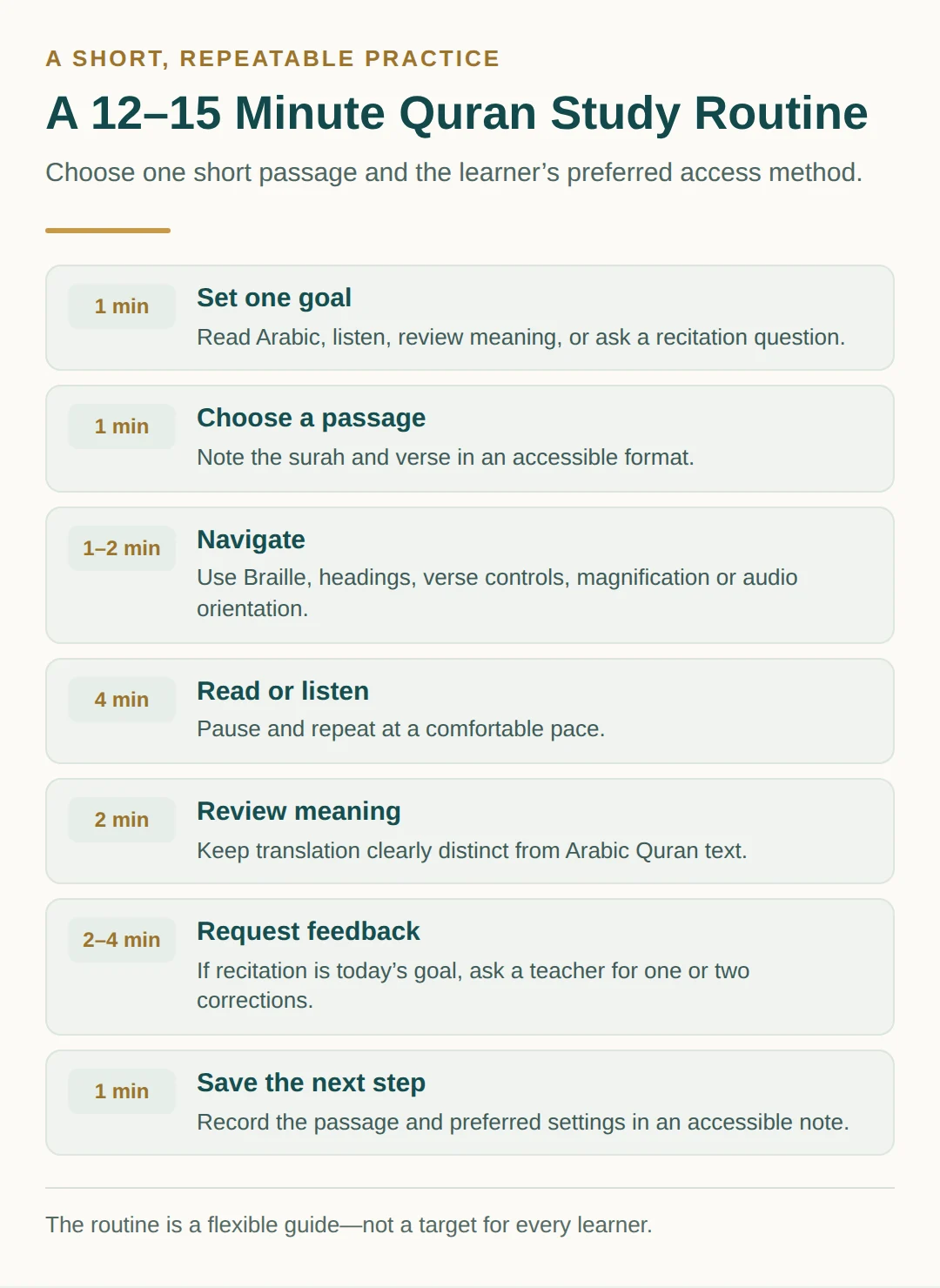
- Set the purpose—one minute. Say what this session is for: finding a passage, reading Arabic, listening, reviewing meaning, or asking a pronunciation question.
- Choose a small passage—one minute. Select a known verse or a short new section. Record the surah and verse reference in the learner’s preferred accessible format.
- Navigate independently—one to two minutes. Use Braille, tactile cues, headings, verse navigation, magnification, or audio orientation. Give help only when requested or agreed in advance.
- Read or listen—four minutes. Use the preferred access method. Pause and repeat as needed. Avoid rushing to cover a target number of verses.
- Review meaning separately—two minutes. If using a translation, label it as a translation and keep the distinction from the Arabic Quran text clear. Discuss one useful meaning or question.
- Request feedback—two to four minutes. If recitation practice is the goal, ask a teacher for one or two specific corrections, then repeat the relevant phrase. Feedback is optional when the session is for listening or reflection.
- Save the stopping point—one minute. Note the passage, format, setting, and next step in an accessible note. End while the routine still feels manageable.
Resource and compatibility checklist
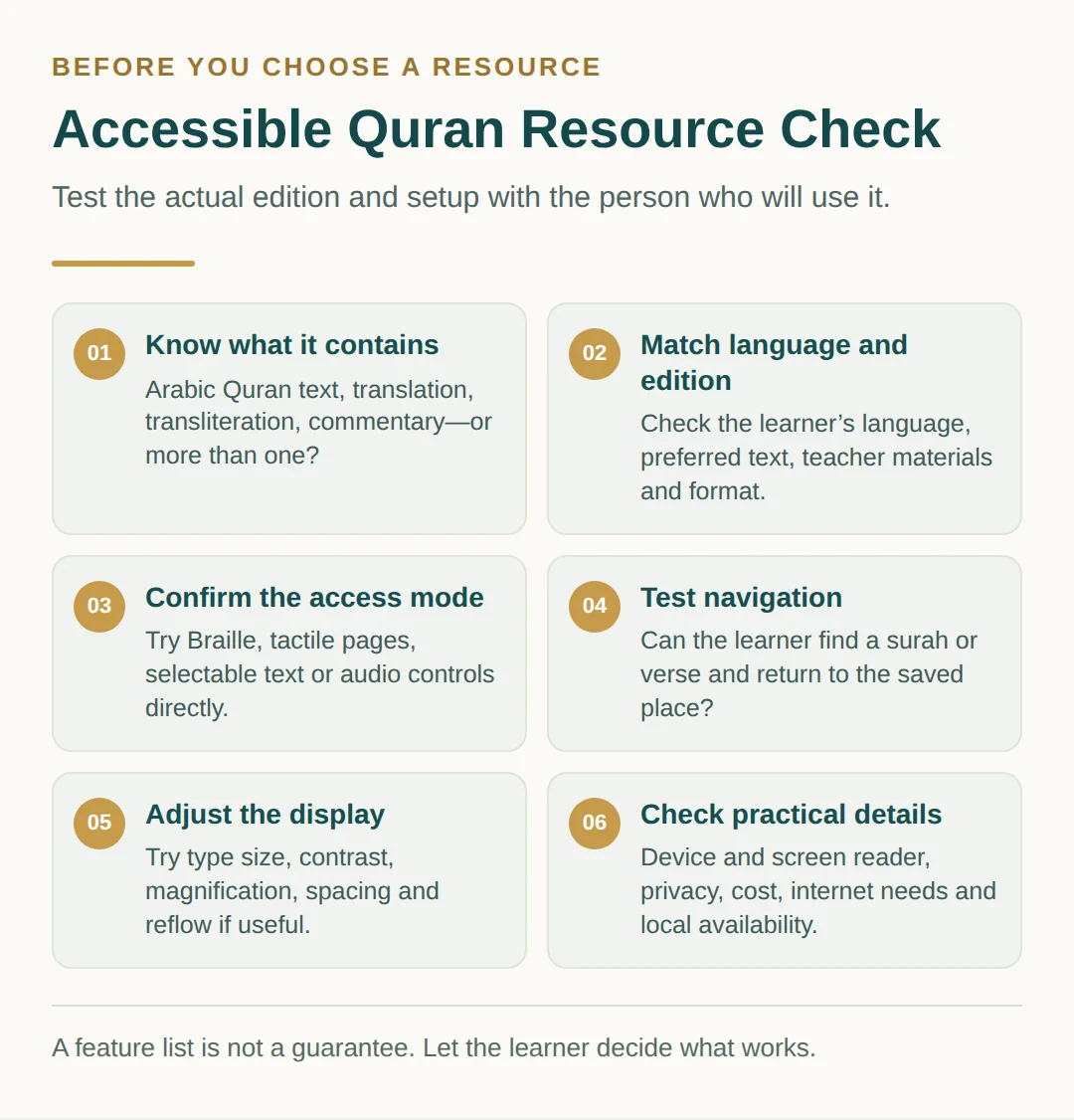
- Content: Is it Arabic Quran text, a translation, transliteration, commentary, or a combination? Is that distinction stated plainly?
- Language and edition: Does it match the learner’s language, Arabic text conventions, teacher’s materials, and preferred translation?
- Access format: Is the text genuinely selectable? Is Braille or tactile support complete and usable? Are audio controls easy to operate?
- Navigation: Can the learner reach a surah, verse, heading, or saved place without assistance?
- Display: Can the learner adjust type size, contrast, colors, magnification, spacing, and reflow?
- Device test: Has the resource been tested on the learner’s actual device and screen reader, including Arabic speech settings?
- Teacher support: Can the teacher provide accessible files, verbal orientation, and clear correction when requested?
- Practicalities: Check cost, privacy, internet requirements, downloads, country availability, language availability, and customer support.
Availability can change by country, language, device, and edition; confirm current details with the learner before recommending a resource.
Build support around autonomy
Families and teachers can help by describing what is on a page or screen, keeping file names and lesson notes consistent, and asking before taking over. Ask whether audio speed, correction style, lighting, font size, or tactile orientation should change. The respectful question is not “What can you manage?” but “Which method helps you meet your goal?”
Someone beginning as an adult may find this beginner pathway for adult Quran learning useful when adapting lesson pacing. Families supporting a child can compare it with a child’s progression from letters through Qaida, Tajweed, and Hifz, while keeping the child’s communication and access preferences central.
English-speaking learners who want focused pronunciation support can also review common Quran pronunciation challenges for English speakers. The right next step may be a teacher’s listening feedback, a tactile text session, a screen-reader navigation test, or simply a more comfortable display.
Choose an accessible class
Tell the teacher which formats the learner uses and ask how materials will be shared. Can the teacher label passages by surah and verse, describe visual information, provide compatible text, give verbal feedback at a comfortable pace, and let the learner choose when corrections happen? Access is part of good teaching, not a favour added afterward.
Video placeholder
A short demonstration can be added here after the publisher completes its full-timeline accessibility and suitability screening.
Choose the next small step
Start with one short passage and the learner’s preferred method. Test it together, adjust friction points, and keep what supports confident, accurate study.
If you would like to discuss Quran or Arabic goals and access preferences with a teacher, you can book a free Quran and Arabic trial class. Share the learner’s preferred format, device, language, and type of support so the conversation begins with the person—not with an assumption about disability.