
How to Read a Quran Mushaf Page: Ayah Numbers, Juz Marks, Hizb Signs, and Layout
Learning how to read a Quran page is easier when you separate the information printed on it. A surah name identifies a chapter; an ayah number identifies a verse; a page number locates text within one edition; and juz, hizb, waqf, and sajdah marks serve other purposes. These labels may sit close together, but they do not answer the same question.
This practical guide gives you a simple scan order for a printed mushaf or digital Quran. You will learn how to find a passage, tell its location from its reading divisions, and record a page so you can return to the same place later. The short rule to remember is: use Surah:Ayah as the most portable address, then add the page or line from your own copy.
Start with the surah and ayah address
A Quran reference such as Al-Baqarah 2:255 has two parts: the surah name or number, then the ayah number. A printed page may show the surah title near its beginning, while a small decorative marker or number at the end of an ayah distinguishes one verse from the next. First locate the chapter, then scan within it for the requested ayah. If you are unsure of a chapter name or its order, Quranytime’s Quran surah index can help you verify it.
The verse number is not a page number. One page can contain several ayat, and a verse can continue across a page break in some editions. A page number is useful when someone has the same print or digital layout as you; it is less useful as a universal reference. When asking a teacher about a word, grammar point, or recitation question, give the surah and ayah first. Add the page number as a convenience, not as a replacement for the verse reference.
Four kinds of information can share one page
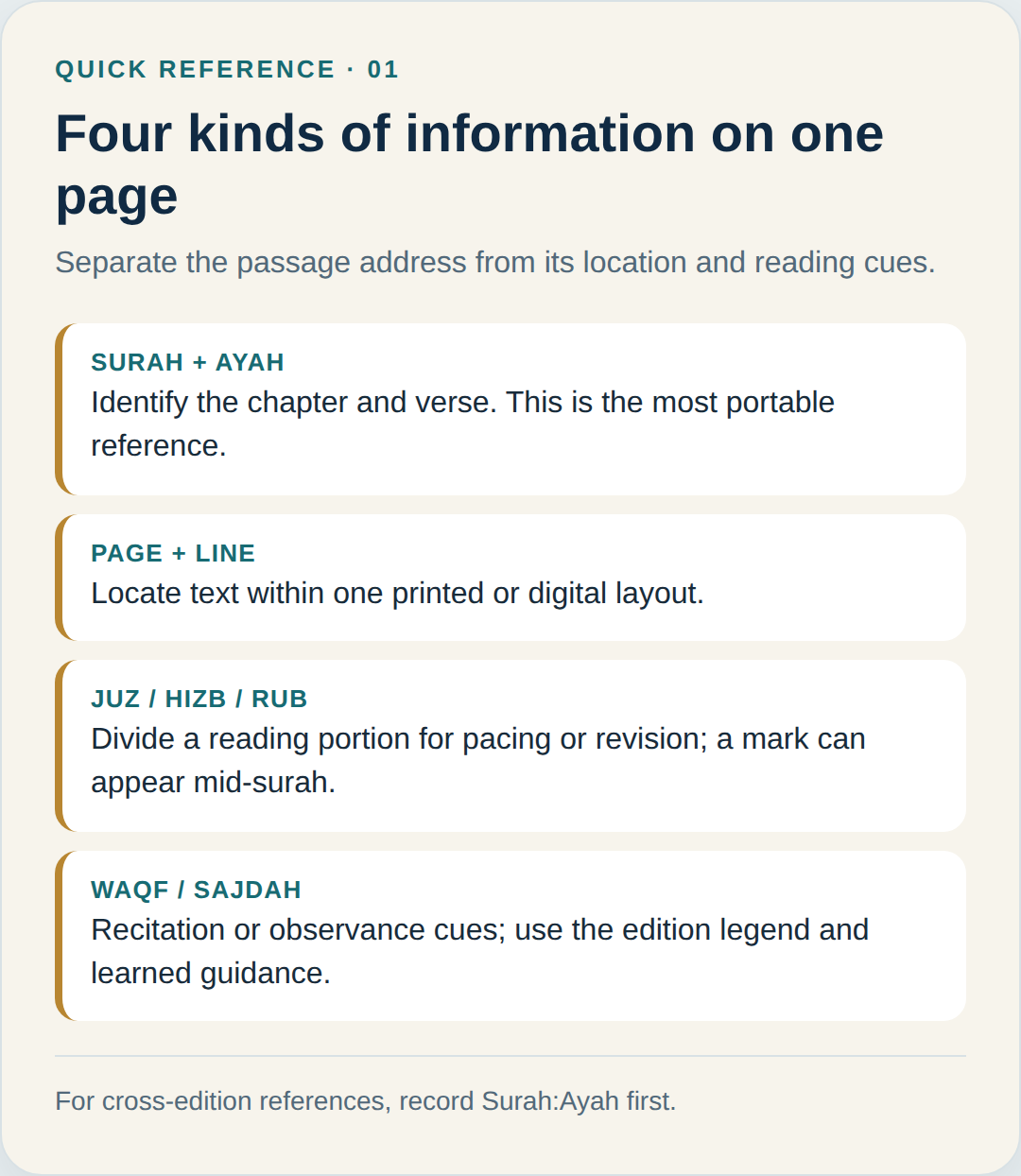
It helps to ask what a mark is trying to tell you. Is it naming the text, showing where the text sits, dividing a reading plan, or guiding how to recite? Once you classify the mark, it becomes easier to follow the page without mixing up its functions.
- Surah and ayah: identify the chapter and verse. This is the clearest reference to share across books, apps, and teachers.
- Page and line: show where the text appears in a particular layout. Record the edition or app if you need someone else to find the same spot.
- Juz, hizb, and rub: divide a reading portion for pacing, completion, or revision. A division marker can occur inside a surah; it is not necessarily a chapter boundary.
- Waqf and sajdah marks: provide recitation or observance cues. Consult the guide or legend for your edition and seek qualified guidance for questions about practice.
What Juz, Hizb, and Rub marks tell you
A juz is one of the familiar reading divisions used to plan recitation or completion. The Qur’an is traditionally divided into thirty equal-length juz; a juz may also be subdivided into halves (nisf or hizb), quarters (rubuʿ), and eighths (thumn). These divisions support reading plans, but they do not replace the surah-and-ayah address. If a marker appears partway through a chapter, continue reading the chapter; the marker is showing a portion, not announcing a new surah.
How these divisions appear on the page varies. British Library examples from Southeast Asian manuscripts show markers in the margin, inside the text, or highlighted at an opening; some manuscripts allocate a fixed number of pages per juz while others do not. Check the layout of your copy instead of expecting one standard ornament. Quranytime explains the terms in its guide to Juz, Hizb, and Rub. See the British Library’s illustrated article on Juz markers for historical examples.
Why page and line numbers are edition-specific
Readers often ask how many pages are in the Quran, but no single page number identifies a verse in every copy. A familiar print may use a standard sequence, while another edition, script, translation layout, or phone screen wraps the same text differently. Digital apps may also split lines differently. If someone gives you only a page number, ask which edition or app they mean.
If your page looks different from a friend’s, keep surah and ayah as the stable reference and add the page from your copy. Quranytime’s guide to Uthmani and Indo-Pak Quran script explains differences in letter forms; its phone-reading guide shows how to save a return point. Page numbers locate text in one layout, not across editions.
Read stopping and sajdah cues carefully
Waqf signs relate to stopping or continuing during recitation. Their labels and presentation should be read according to the mushaf or app you are using; do not assume that a symbol has the same visual form in every copy. If you are starting out, learn the marks from a trusted teacher and use a clear legend. Quranytime’s guide to six Quran waqf signs explains the common labels and their reading function.
A sajdah indicator is a different type of cue: it draws attention to a passage associated with prostration in recitation. It is not an ayah number, a juz marker, or a stop sign. The exact action and rules can depend on the practice and guidance you follow, so treat the mark as a prompt to learn more rather than making a ruling from a symbol alone. Quranytime’s beginner’s guide to Sajdah Tilawah is a starting point for understanding the term.
A six-step scan for any Quran page
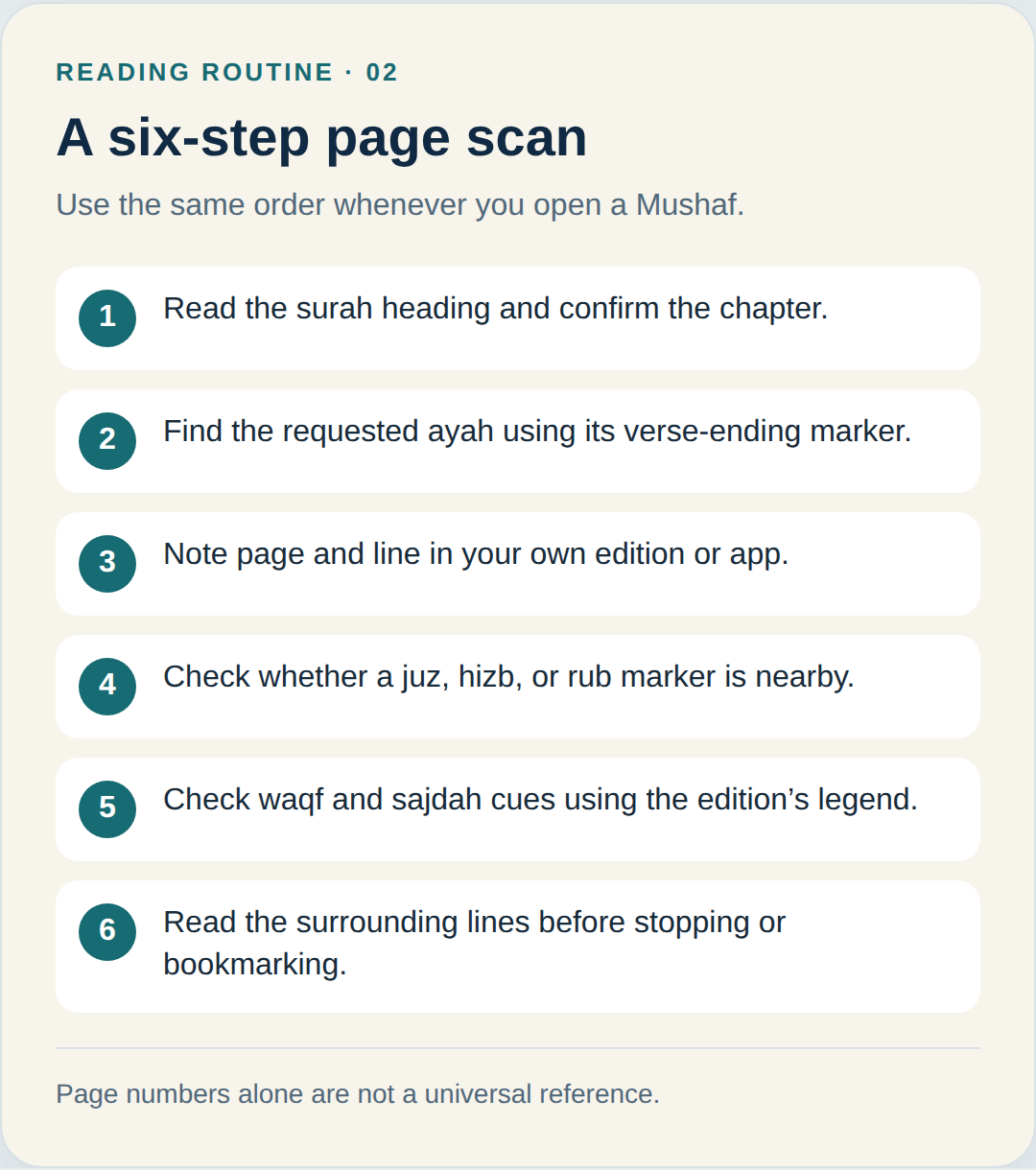
Use the same sequence whenever you open a mushaf. It keeps the reference, page location, and recitation cues separate, whether you are studying alone, reading with a teacher, or returning to a bookmarked passage.
- Read the surah heading. Confirm the chapter name or number before searching within the text.
- Find the ayah. Follow the verse-ending markers and use the requested Surah:Ayah reference.
- Note your location. Write the page and line only as they appear in your own edition or app.
- Check the reading division. See whether a juz, hizb, or rub marker is nearby; it may be a planning point within the surah.
- Check recitation cues. Look for waqf and sajdah marks, then use your edition’s legend or a teacher’s explanation.
- Read the surrounding lines. Do not stop at the exact word if the sentence or ayah continues onto the next line or page.
If you only know the theme or a few words of a verse, first narrow the passage down and then confirm the exact address. Quranytime’s resource on finding a Quran verse from its meaning or words can help with that first step. Once you locate it, record its surah and ayah so you can verify the reference in any layout.
Practise with the opening surah
Al-Fatihah is a simple place to practise the scan because it is short and its seven ayat are familiar to many readers. Find the surah heading, follow each ayah marker as you read, and notice how the page number belongs to your particular copy. The video below recites Al-Fatihah verse by verse and displays the Arabic and verse number; use it to practise tracking ayah markers, not as a page-layout or tajweed lesson.
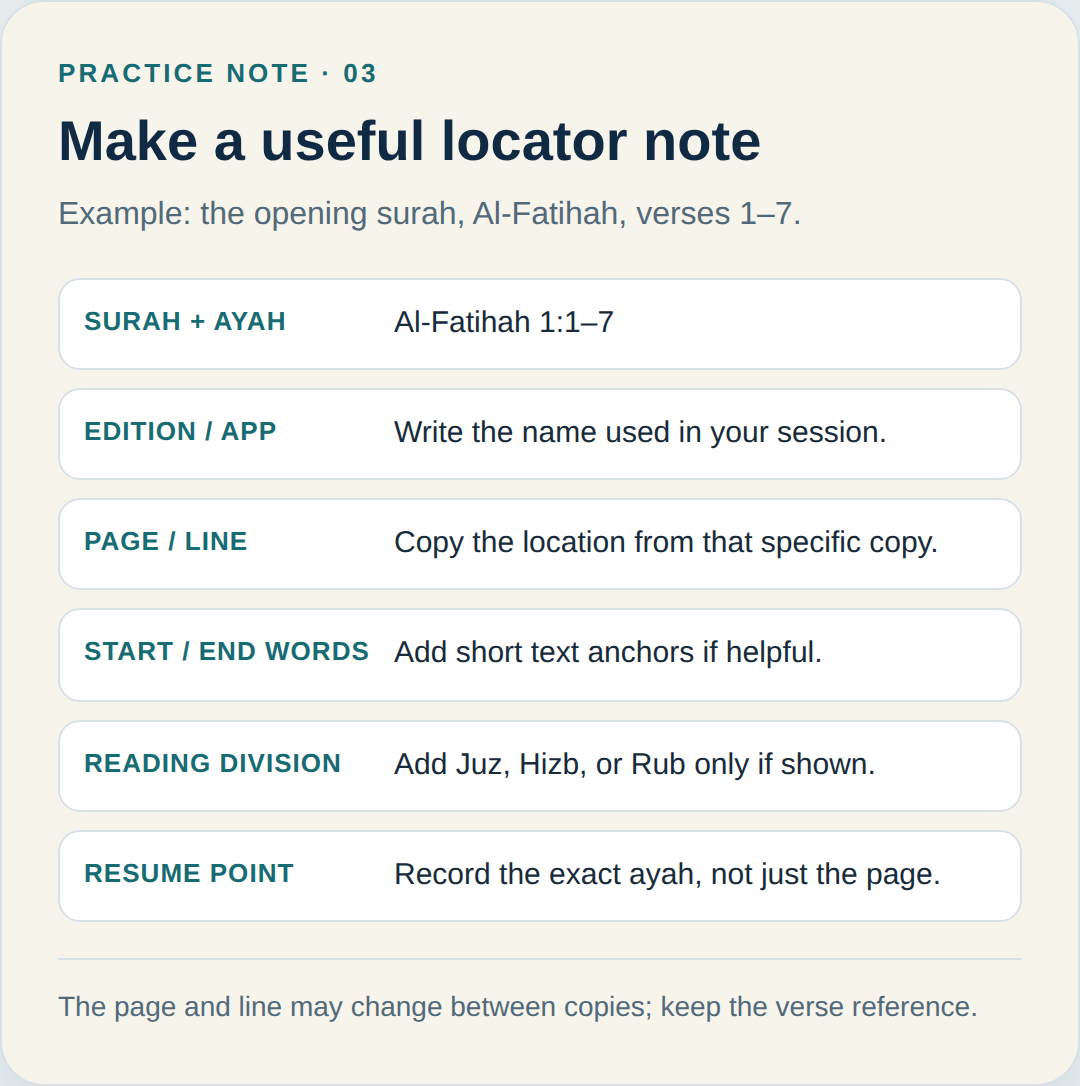
As each verse is recited, follow its number on screen and keep your place in the Arabic line. Afterward, write “Al-Fatihah 1:1–7” as your stable reference, then add the page from your copy if you need to return to it.
Keep a locator note you can reuse
A useful reading note is short and specific. Write the surah name and number, the ayah range, your edition or app, and the page or line where you stopped. If a section marker is relevant, add the juz, hizb, or rub label as a secondary cue. A few first or last words can help you recognize the spot, but the passage reference should remain the main label. This is especially useful when sharing a question with a teacher or switching from a printed mushaf to a phone.
Common mistakes to avoid
- Sharing only a page number. Add the surah and ayah because another edition may paginate differently.
- Treating juz as a surah. A juz is a reading division and may start or end within a chapter.
- Confusing a verse number with a margin symbol. Check whether the mark is inside the ayah sequence or outside the text as a section label.
- Guessing from a sign you do not know. Use the mushaf’s legend and reliable teacher guidance, especially for recitation and sajdah questions.
If you keep these jobs distinct, a crowded Quran page becomes easier to navigate: the surah and ayah identify the passage; the page and line tell you where it sits in your copy; and section or recitation marks guide how you plan or read. Start with the stable reference, then add only the page details that help you return to the same place.
If you would like a teacher to review how you locate and read a passage, Quranytime offers a free Quran and Arabic assessment class where you can discuss your reading goals and next steps.